Less bookmark folder. More visual workspace.
Wizz2 is for links you actually use: tools, research, places, references, inspiration, and anything worth opening again. Arrange them into a board you can recognize at a glance.
Wizz2 turns scattered bookmarks into visual grids: private workspaces, public collections, and shared group boards that are easy to scan and easy to trust. The app is completely free, with no payment required.
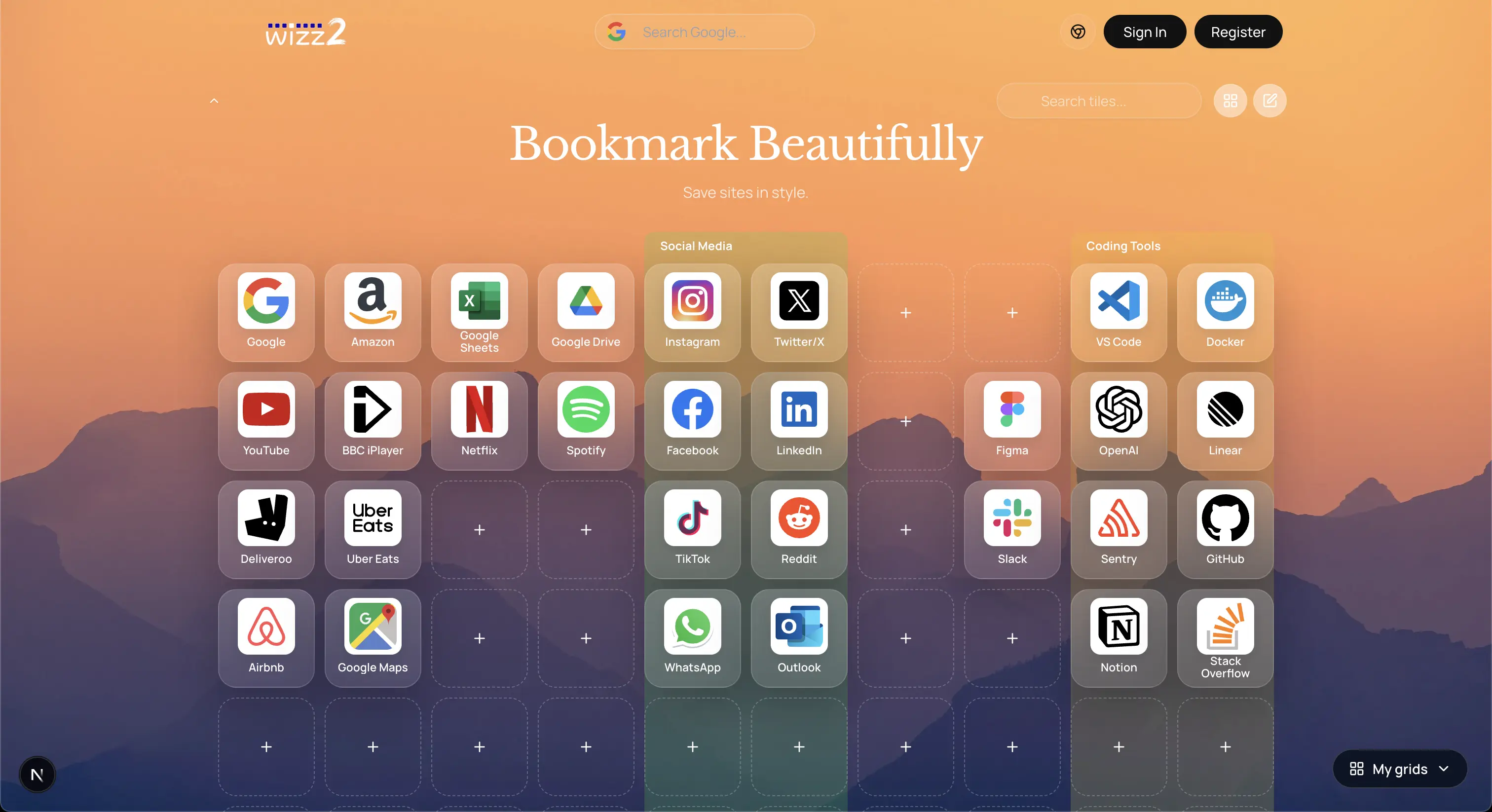
A grid gives your links shape, memory, and a place to live.
Wizz2 is for links you actually use: tools, research, places, references, inspiration, and anything worth opening again. Arrange them into a board you can recognize at a glance.
Sharing, discovery, groups, and public tiles all support the collection instead of pulling attention away from it.
Three moves from scattered links to a collection worth opening.
Add the links, tools, places, and ideas you want close to hand.
Turn them into recognizable tiles with position, color, and imagery.
Keep a grid private, publish it publicly, or share it with a group.
Publish polished collections, build group spaces, and reuse good tiles from the wider Wizz2 library.
Publish useful grids people can browse, follow, and come back to.

Make a shared space for a team, project, class, club, or community.
Find public tiles and add useful starting points to your own grids.
Create and publish visual grids with no payment required.
Your grids stay yours until you choose who else can see them.
Turn scattered links into a collection that feels intentional.
Color, position, and imagery help important links become recognizable.
The Chrome extension keeps Wizz2 close to the moment of discovery. Save a page as you browse, then shape the grid when you are ready to organize or share it.
Install extensionStart free, stay private, and publish only when it feels right. No payment required.